

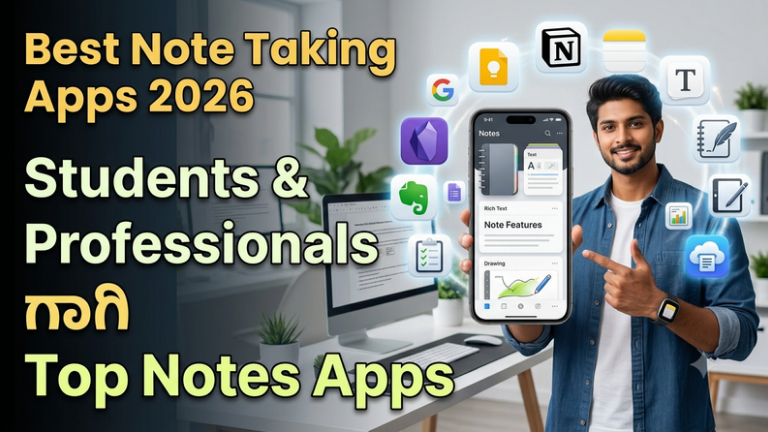
Best Note Taking Apps 2026 – Students & Professionalsಗಾಗಿ Top Notes Apps
ಇಂದಿನ Digital ಯುಗದಲ್ಲಿ Notes ಬರೆಯುವ ವಿಧಾನವೂ ಸಾಕಷ್ಟು ಬದಲಾಗಿದೆ. ಹಿಂದೆ Notebook ಮತ್ತು Pen ಬಳಸಿ ಎಲ್ಲ ಮಾಹಿತಿಯನ್ನು ಬರೆಯುತ್ತಿದ್ದೆವು. ಆದರೆ ಈಗ Smartphone, Tablet ಅಥವಾ Laptop ಮೂಲಕ ಕೆಲವೇ ನಿಮಿಷಗಳಲ್ಲಿ Notes ಬರೆಯಬಹುದು, Organise ಮಾಡಬಹುದು ಮತ್ತು ಬೇಕಾದಾಗ ಮತ್ತೆ ಹುಡುಕಬಹುದು.
Studentsಗೆ Class Notes, Study Materials, Important Questions ಮತ್ತು Revision Points save ಮಾಡಲು Note Taking Apps ಬಹಳ ಉಪಯುಕ್ತವಾಗಿವೆ. Professionals Meeting Notes, Ideas, To-Do Lists ಮತ್ತು Work Information ಅನ್ನು Manage ಮಾಡಲು ಇಂತಹ Apps ಬಳಸಬಹುದು.
ಆದರೆ Google Play Store ಮತ್ತು App Storeನಲ್ಲಿ ಹಲವು Note Taking Apps ಇರುವುದರಿಂದ ಯಾವುದು Best ಎಂಬ ಗೊಂದಲ ಇರಬಹುದು. ಕೆಲವು Apps simple text notesಗಾಗಿ ಉತ್ತಮವಾಗಿದ್ದರೆ, ಇನ್ನೂ ಕೆಲವು Apps Documents, Images, Checklists, Voice Notes ಮತ್ತು Cloud Sync ಮುಂತಾದ Advanced Features ನೀಡುತ್ತವೆ.
ಈ ಲೇಖನದಲ್ಲಿ 2026ರಲ್ಲಿ ಬಳಸಬಹುದಾದ Best Note Taking Apps ಬಗ್ಗೆ ವಿವರವಾಗಿ ತಿಳಿದುಕೊಳ್ಳೋಣ. Students, Teachers, Bloggers, Professionals ಮತ್ತು ಸಾಮಾನ್ಯ Smartphone Users ಎಲ್ಲರಿಗೂ ಉಪಯುಕ್ತವಾಗುವಂತೆ ಈ Guide ಸಿದ್ಧಪಡಿಸಲಾಗಿದೆ.
Note Taking App ಎಂದರೇನು?
Note Taking App ಎಂದರೆ Smartphone, Tablet ಅಥವಾ Computerನಲ್ಲಿ Text, Lists, Images, Documents ಮತ್ತು ಇತರ Information ಅನ್ನು Digital ರೂಪದಲ್ಲಿ Save ಮಾಡಲು ಬಳಸುವ Application.
ಕೆಲವು Appsನಲ್ಲಿ Notes ಅನ್ನು Folders ಅಥವಾ Categories ಮೂಲಕ Organise ಮಾಡಬಹುದು. ಕೆಲವು Appsನಲ್ಲಿ Cloud Sync ಇರುವುದರಿಂದ ಒಂದೇ Account ಮೂಲಕ ಬೇರೆ Devicesಲ್ಲಿಯೂ Notes Access ಮಾಡಬಹುದು.
Digital Notes ಯಾಕೆ ಬಳಸಬೇಕು?
- Notebook carry ಮಾಡುವ ಅಗತ್ಯ ಕಡಿಮೆಯಾಗುತ್ತದೆ.
- Notes ಅನ್ನು ಯಾವಾಗ ಬೇಕಾದರೂ Search ಮಾಡಬಹುದು.
- Notes ಅನ್ನು Edit ಮತ್ತು Update ಮಾಡುವುದು ಸುಲಭ.
- Images ಮತ್ತು Documents ಸೇರಿಸಬಹುದು.
- Cloud Sync ಮೂಲಕ Devices ನಡುವೆ Access ಮಾಡಬಹುದು.
- To-Do Lists ಮತ್ತು Reminders Organise ಮಾಡಬಹುದು.
- Important Information ಅನ್ನು Categoriesನಲ್ಲಿ ಇಡಬಹುದು.
1. Google Keep – Simple & Fast Notes
Google Keep ಒಂದು simple Note Taking App ಆಗಿದ್ದು, Quick Notes, Checklists ಮತ್ತು Remindersಗಾಗಿ ಬಳಸಬಹುದು. ಯಾವುದೇ Idea ತಕ್ಷಣ Save ಮಾಡಬೇಕಾದಾಗ ಇದು ಉಪಯುಕ್ತವಾಗಬಹುದು.
Short Notes, Shopping Lists, Study Points ಮತ್ತು Daily Tasks ಬರೆಯಲು ಇದರ Simple Interface ಸಹಾಯಕವಾಗಿದೆ.
Google Account ಬಳಸುವವರಿಗೆ Notes ಅನ್ನು ವಿವಿಧ Devicesನಲ್ಲಿ Access ಮಾಡುವ ಅನುಕೂಲ ದೊರೆಯಬಹುದು.
2. Microsoft OneNote – Students & Professionalsಗಾಗಿ
Microsoft OneNote ಒಂದು Powerful Digital Notebook ಆಗಿದೆ. Notes ಅನ್ನು Sections ಮತ್ತು Pages ಮೂಲಕ Organise ಮಾಡಬಹುದು.
Students ತಮ್ಮ Subjects ಪ್ರಕಾರ ಪ್ರತ್ಯೇಕ Sections ರಚಿಸಬಹುದು. Professionals Meeting Notes ಮತ್ತು Project Information ಅನ್ನು Organise ಮಾಡಬಹುದು.
Text ಜೊತೆಗೆ Images, Drawings ಮತ್ತು ಇತರ Content ಸೇರಿಸುವ Features ಕೂಡ ಉಪಯುಕ್ತವಾಗಬಹುದು.
3. Notion – Notes + Productivity
Notion ಸಾಮಾನ್ಯ Note Taking Appಗಿಂತ ಹೆಚ್ಚು Powerful Workspace ಆಗಿದೆ. Notes, Documents, Databases, Tasks ಮತ್ತು Projects ಅನ್ನು ಒಂದೇ Platformನಲ್ಲಿ Organise ಮಾಡಲು ಬಳಸಬಹುದು.
Students Study Planner ರಚಿಸಬಹುದು. Bloggers Content Calendar ಮಾಡಬಹುದು. Freelancers Projects ಮತ್ತು Tasks Manage ಮಾಡಬಹುದು.
ಅದರ Flexibility ದೊಡ್ಡ ಪ್ರಯೋಜನವಾದರೂ Beginnerಗೆ ಮೊದಲಿಗೆ ಸ್ವಲ್ಪ Learning Curve ಇರಬಹುದು.
4. Evernote – Organised Notes
Evernote ಬಹಳ ವರ್ಷಗಳಿಂದ Digital Note Taking ಕ್ಷೇತ್ರದಲ್ಲಿ ಪರಿಚಿತವಾಗಿರುವ Platform. Notes, Documents, Web Content ಮತ್ತು ವಿವಿಧ Information Organise ಮಾಡಲು ಇದನ್ನು ಬಳಸಬಹುದು.
Work ಮತ್ತು Personal Notes ಅನ್ನು ಪ್ರತ್ಯೇಕವಾಗಿ Organise ಮಾಡಲು Categories ಅಥವಾ Notebooks ಬಳಸಬಹುದು.
5. Apple Notes – Apple Usersಗಾಗಿ
iPhone, iPad ಅಥವಾ Mac ಬಳಸುವವರಿಗೆ Apple Notes ಒಂದು ಸರಳ ಮತ್ತು ಉಪಯುಕ್ತ Note Taking App. Quick Notes, Checklists, Documents ಮತ್ತು ಕೆಲವು Multimedia Content ಅನ್ನು Save ಮಾಡಬಹುದು.
Apple Devices ನಡುವೆ Sync ಬೇಕಾಗಿರುವ Usersಗೆ ಇದು ಅನುಕೂಲಕರವಾಗಬಹುದು.
6. Obsidian – Knowledge Management
Obsidian Notes ಅನ್ನು Linked Knowledge ರೀತಿಯಲ್ಲಿ Organise ಮಾಡಲು ಸಹಾಯ ಮಾಡುವ Tool. ಒಂದು Note ಅನ್ನು ಮತ್ತೊಂದು Noteಗೆ Link ಮಾಡುವ ಮೂಲಕ Knowledge Network ರಚಿಸಬಹುದು.
Long-term Learning, Research ಮತ್ತು Personal Knowledge Managementನಲ್ಲಿ ಆಸಕ್ತಿ ಇರುವವರಿಗೆ ಇದು ಉಪಯುಕ್ತವಾಗಬಹುದು.
7. Simplenote – Minimal Notes
Simplenote ಹೆಸರೇ ಸೂಚಿಸುವಂತೆ Simple Note Takingಗೆ Focus ಮಾಡುವ Platform. Heavy Features ಅಗತ್ಯವಿಲ್ಲದೆ Text Notes ಬರೆಯಲು ಬಯಸುವವರಿಗೆ ಇದು ಒಂದು ಆಯ್ಕೆಯಾಗಬಹುದು.
Quick Ideas ಮತ್ತು Simple Text Information Store ಮಾಡಲು Minimal Interface ಸಹಾಯ ಮಾಡುತ್ತದೆ.
8. Joplin – Open-Source Notes
Joplin ಒಂದು Open-Source Note Taking Application. Notes ಮತ್ತು Tasks Organise ಮಾಡಲು ಇದನ್ನು ಬಳಸಬಹುದು.
Markdown Support ಮುಂತಾದ Features ಕಾರಣದಿಂದ Technical Users ಮತ್ತು Advanced Note Takersಗೆ ಇದು ಉಪಯುಕ್ತವಾಗಬಹುದು.
9. Zoho Notebook – Creative Note Taking
Zoho Notebookನಲ್ಲಿ ವಿವಿಧ ರೀತಿಯ Notes ರಚಿಸಲು ಸಾಧ್ಯ. Text Notes ಜೊತೆಗೆ Lists ಮತ್ತು ಇತರ Content ಅನ್ನು Organise ಮಾಡಬಹುದು.
Simple Personal Notes ಮತ್ತು Information Managementಗೆ ಇದನ್ನು ಬಳಸಬಹುದು.
10. Standard Notes – Privacy Focus
Standard Notes Privacy ಮತ್ತು Secure Note Taking ಮೇಲೆ Focus ಮಾಡುವ Platform ಆಗಿದೆ. Personal Information ಮತ್ತು Notes ಅನ್ನು Organise ಮಾಡಲು ಬಳಸಬಹುದು.
Privacy Features ಬಗ್ಗೆ ಆಸಕ್ತಿ ಇರುವ Usersಗೆ ಇದರ Features ಮತ್ತು Plans ಪರಿಶೀಲಿಸಬಹುದು.
Studentsಗೆ Note Taking Apps ಹೇಗೆ ಉಪಯುಕ್ತ?
Students ಪ್ರತಿದಿನ ಹಲವು Subjects ಕಲಿಯುತ್ತಾರೆ. ಎಲ್ಲ Notes ಅನ್ನು Notebookನಲ್ಲಿ ಮಾತ್ರ ಇಟ್ಟುಕೊಳ್ಳುವುದರಿಂದ ಕೆಲವೊಮ್ಮೆ Important Information ಹುಡುಕುವುದು ಕಷ್ಟವಾಗಬಹುದು.
Digital Notes ಬಳಸಿ Subject-wise Notes, Important Questions, Revision Points ಮತ್ತು Exam Preparation Materials ಅನ್ನು Organise ಮಾಡಬಹುದು.
ಉದಾಹರಣೆಗೆ:
- Mathematics – Formula Notes
- Science – Important Concepts
- Computer – Short Notes
- English – Vocabulary
- Exam – Important Questions
ಈ ರೀತಿಯಾಗಿ Notes Organise ಮಾಡಿದರೆ Revision ಸಮಯದಲ್ಲಿ ಬೇಕಾದ ವಿಷಯವನ್ನು ಬೇಗ ಹುಡುಕಬಹುದು.
Professionalsಗೆ Note Taking Apps ಹೇಗೆ ಸಹಾಯ ಮಾಡುತ್ತವೆ?
Professionalsಗೆ Meetings, Tasks, Ideas ಮತ್ತು Project Information ಅನ್ನು Manage ಮಾಡಲು Digital Notes ಸಹಾಯ ಮಾಡಬಹುದು.
Meetingನಲ್ಲಿ ಬಂದ Important Points ಅನ್ನು Note ಮಾಡಬಹುದು. ನಂತರ ಅದರಿಂದ To-Do List ರಚಿಸಬಹುದು. Projectಗೆ ಸಂಬಂಧಿಸಿದ Documents ಮತ್ತು Information ಅನ್ನು ಒಂದೇ Workspaceನಲ್ಲಿ Organise ಮಾಡಬಹುದು.
ಇದನ್ನು ಓದಿ : Best Song Listening Apps 2026 – ಮೊಬೈಲ್ನಲ್ಲಿ Music ಕೇಳಲು Top Apps ಸಂಪೂರ್ಣ Guide
Bloggersಗೆ Best Note Taking Apps
Bloggersಗೆ Content Ideas ಯಾವಾಗ ಬೇಕಾದರೂ ಬರಬಹುದು. ಒಂದು Idea ಬಂದಾಗ ತಕ್ಷಣ Note ಮಾಡಿಟ್ಟುಕೊಂಡರೆ ಮುಂದೆ Blog Topics ಹುಡುಕಲು ಸಹಾಯವಾಗುತ್ತದೆ.
ಉದಾಹರಣೆಗೆ ಒಂದು Notes Pageನಲ್ಲಿ:
- Future Blog Topics
- SEO Keywords
- Article Ideas
- Headline Ideas
- Content Calendar
- Research Notes
ಹೀಗೆ Organise ಮಾಡಬಹುದು.
Note Taking App ಆಯ್ಕೆ ಮಾಡುವಾಗ ಗಮನಿಸಬೇಕಾದ Features
- Easy-to-use Interface
- Search Feature
- Cloud Sync
- Folders & Tags
- Checklist Support
- Image Support
- Document Attachment
- Offline Access
- Cross-device Support
- Privacy & Security
Free vs Premium Note Taking Apps
ಬಹುತೇಕ Note Taking Platforms Free ಮತ್ತು Paid Plans ಹೊಂದಿರಬಹುದು. Free Version ಸಾಮಾನ್ಯ Notesಗೆ ಸಾಕಾಗಬಹುದು. ಆದರೆ ಹೆಚ್ಚಿನ Storage, Advanced Collaboration, AI Features ಅಥವಾ Business Features ಬೇಕಾದರೆ Premium Plan ಅಗತ್ಯವಾಗಬಹುದು.
Premium Subscription ತೆಗೆದುಕೊಳ್ಳುವ ಮೊದಲು ನಿಮಗೆ ನಿಜವಾಗಿಯೂ ಆ Features ಅಗತ್ಯವಿದೆಯೇ ಎಂದು ಪರಿಶೀಲಿಸಿ.
Best Note Taking Apps Comparison
| App | Best For | Style |
|---|---|---|
| Google Keep | Quick Notes & Lists | Simple |
| OneNote | Students & Work | Digital Notebook |
| Notion | Notes & Productivity | Workspace |
| Evernote | Organised Notes | Notebook |
| Apple Notes | Apple Users | Simple |
| Obsidian | Knowledge Management | Linked Notes |
| Joplin | Advanced Notes | Open Source |
Digital Notes Organise ಮಾಡುವ Simple Method
- ಮೊದಲು ನಿಮ್ಮ Main Categories ನಿರ್ಧರಿಸಿ.
- ಪ್ರತಿ Categoryಗೆ ಪ್ರತ್ಯೇಕ Folder ಅಥವಾ Notebook ರಚಿಸಿ.
- Notesಗೆ Clear Titles ನೀಡಿ.
- Important Notesಗೆ Tags ಬಳಸಿ.
- Old ಮತ್ತು Duplicate Notes Delete ಅಥವಾ Organise ಮಾಡಿ.
- ಮುಖ್ಯ Notesಗೆ Backup ಇಟ್ಟುಕೊಳ್ಳಿ.
Note Takingನಲ್ಲಿ Beginners ಮಾಡುವ ಸಾಮಾನ್ಯ ತಪ್ಪುಗಳು
ಬಹಳಷ್ಟು Notes ಬರೆಯುವುದು ಮಾತ್ರ ಉತ್ತಮ Note Taking ಅಲ್ಲ. Notes Clear, Short ಮತ್ತು Organised ಆಗಿರಬೇಕು.
ಒಂದೇ ವಿಷಯವನ್ನು ಹಲವು ಬಾರಿ ಬರೆಯುವ ಬದಲು Important Points ಮಾತ್ರ Save ಮಾಡುವುದು ಉತ್ತಮ. Notesಗೆ Proper Titles ಮತ್ತು Categories ನೀಡಿದರೆ ನಂತರ Search ಮಾಡುವುದು ಸುಲಭವಾಗುತ್ತದೆ.
Handwritten Notes vs Digital Notes
Handwritten Notes ಬರೆಯುವುದರಿಂದ ಕೆಲವು Studentsಗೆ ವಿಷಯವನ್ನು ನೆನಪಿಡಲು ಸಹಾಯವಾಗಬಹುದು. Digital Notesನ ದೊಡ್ಡ ಪ್ರಯೋಜನ Search, Edit, Backup ಮತ್ತು Access Anywhere ಆಗಿದೆ.
ಯಾವ ವಿಧಾನ ಉತ್ತಮ ಎಂಬುದು ನಿಮ್ಮ Learning Style ಮತ್ತು ಅಗತ್ಯದ ಮೇಲೆ ಅವಲಂಬಿತವಾಗಿದೆ. ಬೇಕಾದರೆ ಎರಡನ್ನೂ Combine ಮಾಡಬಹುದು.
Note Taking Apps ಬಳಸುವಾಗ Privacy Tips
- Strong Password ಬಳಸಿ.
- Two-factor Authentication ಲಭ್ಯವಿದ್ದರೆ Enable ಮಾಡಿ.
- ಅಗತ್ಯವಿಲ್ಲದ Personal Information ಅನ್ನು Notesನಲ್ಲಿ Store ಮಾಡಬೇಡಿ.
- Shared Notesನಲ್ಲಿ Sensitive Information ಹಾಕುವ ಮೊದಲು ಎಚ್ಚರಿಕೆ ವಹಿಸಿ.
- App Permissions ಪರಿಶೀಲಿಸಿ.
- ಮುಖ್ಯ Notesಗೆ Backup ಇಟ್ಟುಕೊಳ್ಳಿ.
FAQ – Best Note Taking Apps 2026
1. Best Note Taking App ಯಾವುದು?
Quick Notesಗೆ Google Keep, Students ಮತ್ತು Professionalsಗೆ OneNote, Productivityಗೆ Notion ಮತ್ತು Knowledge Managementಗೆ Obsidian ಮುಂತಾದ Apps ಅನ್ನು ಪರಿಗಣಿಸಬಹುದು.
2. Studentsಗೆ ಯಾವ Note App ಉತ್ತಮ?
Students ತಮ್ಮ ಅಗತ್ಯಕ್ಕೆ ಅನುಗುಣವಾಗಿ OneNote, Google Keep, Notion ಅಥವಾ ಇತರ Note Taking Apps ಅನ್ನು ಬಳಸಬಹುದು.
3. Notes ಅನ್ನು Mobile ಮತ್ತು Laptopನಲ್ಲಿ ಬಳಸಬಹುದೇ?
Cloud Sync ಮತ್ತು Cross-device Support ಇರುವ Appsನಲ್ಲಿ ಸಾಮಾನ್ಯವಾಗಿ ಒಂದೇ Account ಮೂಲಕ ಬೇರೆ Devicesನಲ್ಲಿ Notes Access ಮಾಡಬಹುದು.
4. Free Note Taking App ಸಾಕೇ?
Basic Notes ಮತ್ತು Listsಗೆ Free App ಸಾಕಾಗಬಹುದು. Advanced Storage ಅಥವಾ Productivity Features ಬೇಕಾದರೆ Paid Plan ಪರಿಗಣಿಸಬಹುದು.
5. Digital Notes Safe ಆಗಿವೆಯೇ?
Appನ Security ಮತ್ತು ನಿಮ್ಮ Account Security ಮೇಲೆ ಅವಲಂಬಿತವಾಗಿದೆ. Strong Password, 2FA ಮತ್ತು Privacy Settings ಬಳಸುವುದು ಉತ್ತಮ.
6. Note Taking Appನಲ್ಲಿ Photos ಮತ್ತು Documents Save ಮಾಡಬಹುದೇ?
ಕೆಲವು Apps Images, PDFs ಮತ್ತು ಇತರ Files Attach ಮಾಡುವ Features ನೀಡುತ್ತವೆ. Appನ ಪ್ರಸ್ತುತ Features ಪರಿಶೀಲಿಸಿ.
Best Note Taking Apps 2026
Digital Note Taking ಈಗ Students ಮತ್ತು Professionals ಇಬ್ಬರಿಗೂ ಬಹಳ ಉಪಯುಕ್ತವಾಗಿದೆ. Google Keep, Microsoft OneNote, Notion, Evernote, Apple Notes, Obsidian ಮತ್ತು ಇತರ Apps ವಿಭಿನ್ನ ಅಗತ್ಯಗಳಿಗೆ ಅನುಗುಣವಾಗಿ ಬಳಸಬಹುದು.
ನಿಮಗೆ ಕೇವಲ Quick Notes ಬೇಕಾದರೆ Simple App ಸಾಕಾಗಬಹುದು. Study Materials ಮತ್ತು ದೊಡ್ಡ ಪ್ರಮಾಣದ Notes Organise ಮಾಡಬೇಕಾದರೆ Digital Notebook ಅಥವಾ Workspace App ಹೆಚ್ಚು ಉಪಯುಕ್ತವಾಗಬಹುದು.
ಕೊನೆಯಲ್ಲಿ, “Best Note Taking App” ಎನ್ನುವುದು ಪ್ರತಿಯೊಬ್ಬರಿಗೂ ವಿಭಿನ್ನವಾಗಿರುತ್ತದೆ. ನಿಮ್ಮ Learning Style, Device, Storage ಮತ್ತು ಅಗತ್ಯಗಳನ್ನು ಗಮನಿಸಿ App ಆಯ್ಕೆ ಮಾಡಿ.
ಒಳ್ಳೆಯ Notes ಎಂದರೆ ಹೆಚ್ಚು Notes ಅಲ್ಲ — ಬೇಕಾದ Information ಅನ್ನು ಸರಿಯಾದ ಸಮಯದಲ್ಲಿ ಸುಲಭವಾಗಿ ಹುಡುಕಬಹುದಾದಂತೆ Organise ಮಾಡಿರುವ Notes.
ಇದನ್ನು ಓದಿ : Best Video Editing Apps 2026 – ಮೊಬೈಲ್ ಮತ್ತು ಕಂಪ್ಯೂಟರ್ಗೆ ಅತ್ಯುತ್ತಮ ವಿಡಿಯೋ ಎಡಿಟಿಂಗ್ ಆ್ಯಪ್ಗಳ ಸಂಪೂರ್ಣ ಮಾಹಿತಿ.